
Prepare your chords and notation
Keep editable chords, handwritten notation and performance directions on one page. Set the key, tempo and metre, then build a clear section and repeat plan.
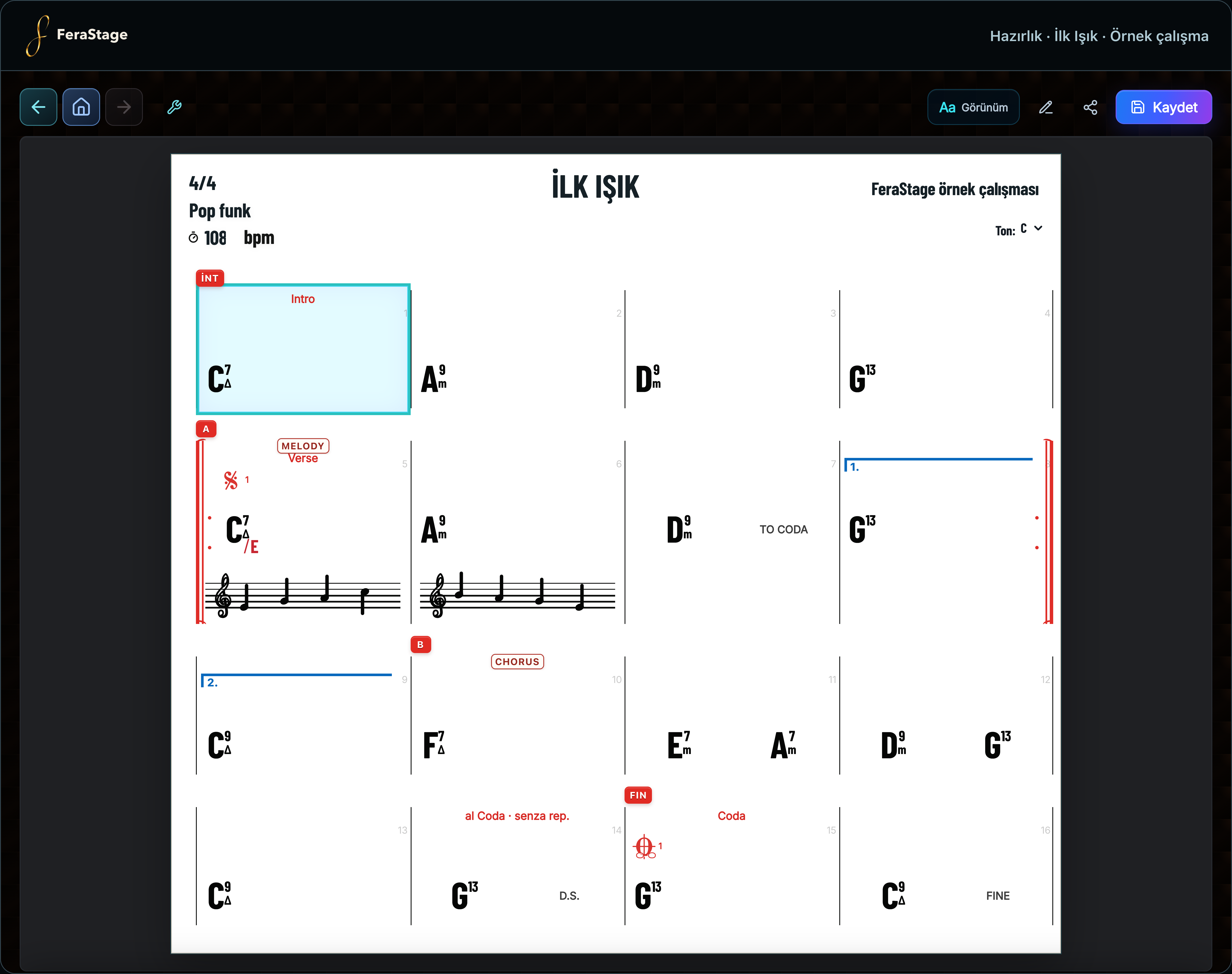
Choose your starting point
This overview explains the preparation task and links to the relevant workspace. Begin with a small example on your own device, then check the saved work before moving a larger repertoire.
Open Preparation →Build chords and draw a melody
Use the root, quality, extension and slash-bass controls in Akor Yaz. In Nota Yaz, select a treble, bass or C clef and draw on the staff with a finger or pen. These freehand notes are visual: they are not played or transposed automatically.
Structured drum notation belongs to Blank Page → Drum Paper in Stage. Preparation supports chord charts, freehand notation, section directions and a separate image workspace.
Map sections, repeats and key changes
Use Measure Details for section labels, performance details, segno, coda, repeats and single-bar endings. Add Verse, Chorus or performance notes with the Text tool. Select a bar range to copy, duplicate or move it.
The key menu transposes editable chords, including slash basses. COASTLINE demonstrates G major to A major with the actual menu and resulting chart. D.S., To Coda and Fine are entered through the chord field in these studies; they are not separate buttons in the sign palette.
Work from an image or save your chart
Add Image opens a separate image/PDF workspace. Choose a file, confirm its placement and use the pen or highlight tools. Return with Akor / Nota. PAPER SKY and FINAL CUE show this workflow using original JPG files.
- Set the song title, key, tempo and metre.
- Use the chord, notation, measure-detail and text tools to prepare a few bars.
- Check the form and save the work to your Songs library.
- Use Import / Export in Songs to import the editable examples or export your own work.
Questions before you start
Can I transpose a chord chart?
Yes. The key menu transposes editable chord roots and slash basses together. Handwritten melody strokes are not automatically transposed.
Where do I write structured drum notation?
Open Blank Page → Drum Paper in Stage. Preparation is the workspace for chord charts, freehand notation, section directions and image-based preparation.