
Prepare your music
Bring chord charts, notation, repertoire and setlists into your rehearsal preparation. Explore FeraStage’s Web and iPad workflows through the tools below.
Choose your working tool
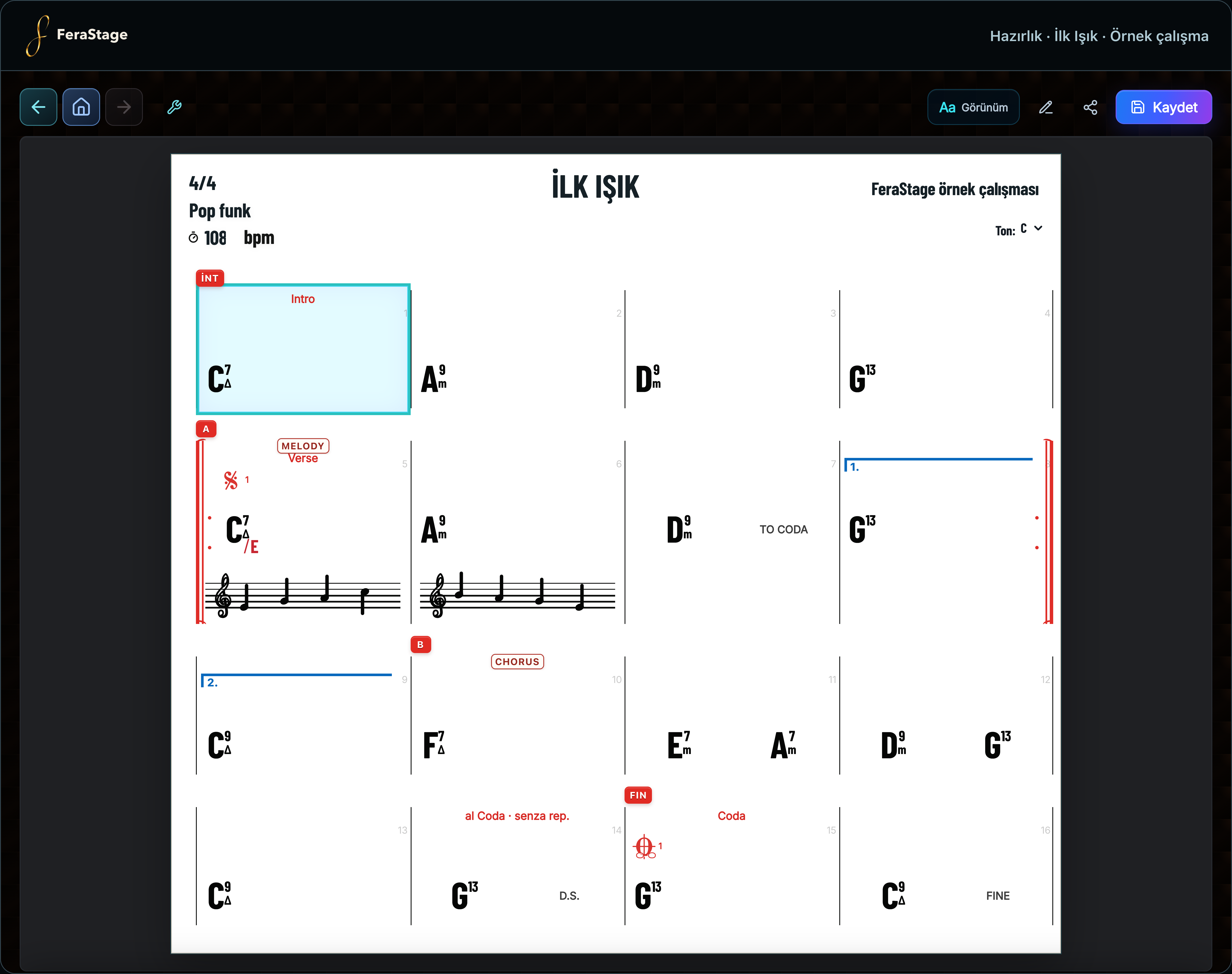
Prepare your chords and notation
Keep editable chords, handwritten notation and performance directions on one page. Set the key, tempo and metre, then build a clear section and repeat plan.
Explore Music Notation and Chord ChartsOrganise your repertoire
Keep the songs you work on in an organised repertoire with FeraStage Songs. Return to the same preparation details as you build concert and rehearsal setlists.
Explore Digital Repertoire and Song Library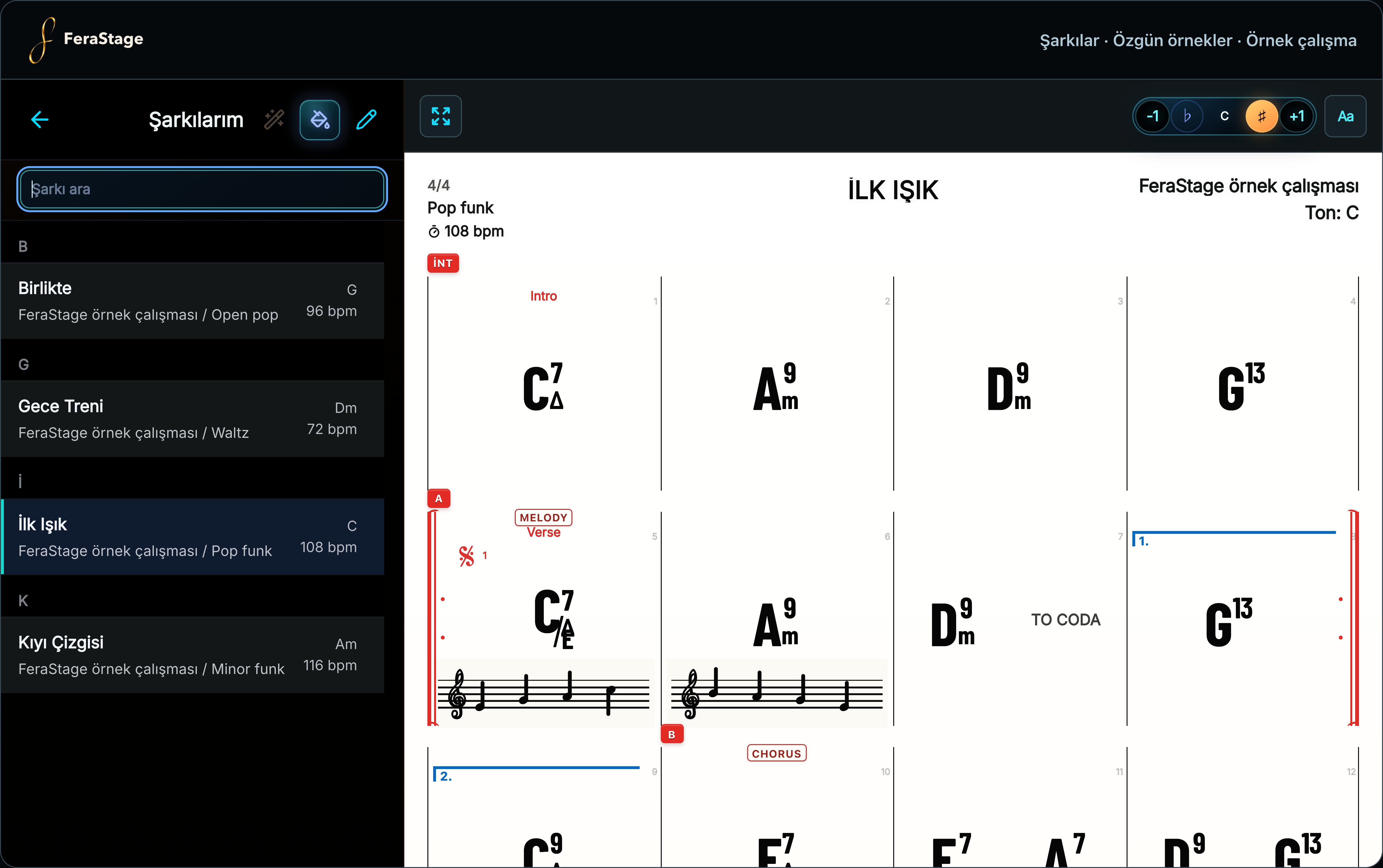
Build your setlist
Use FeraStage Setlists to prepare separate song orders for concerts and rehearsals. Consider the performance sequence alongside your key and tempo preparation.
Explore Setlist Maker for Concerts and Rehearsals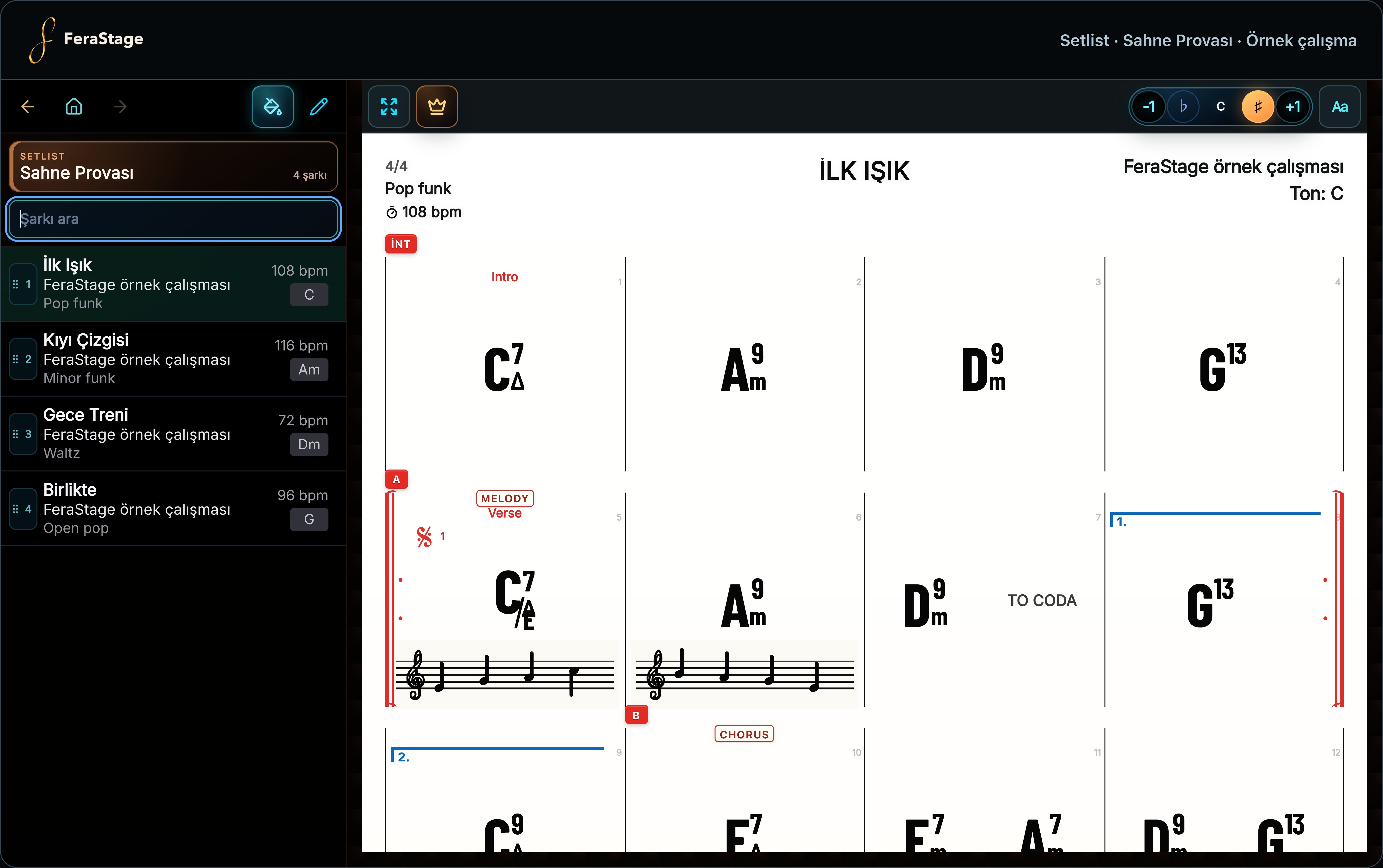
Practise with a metronome
Choose your own tempo and beat pattern. Use an audible click and visual pulse to prepare a focused rhythm practice session.
Explore Metronome for BPM, Metre and Rhythm Practice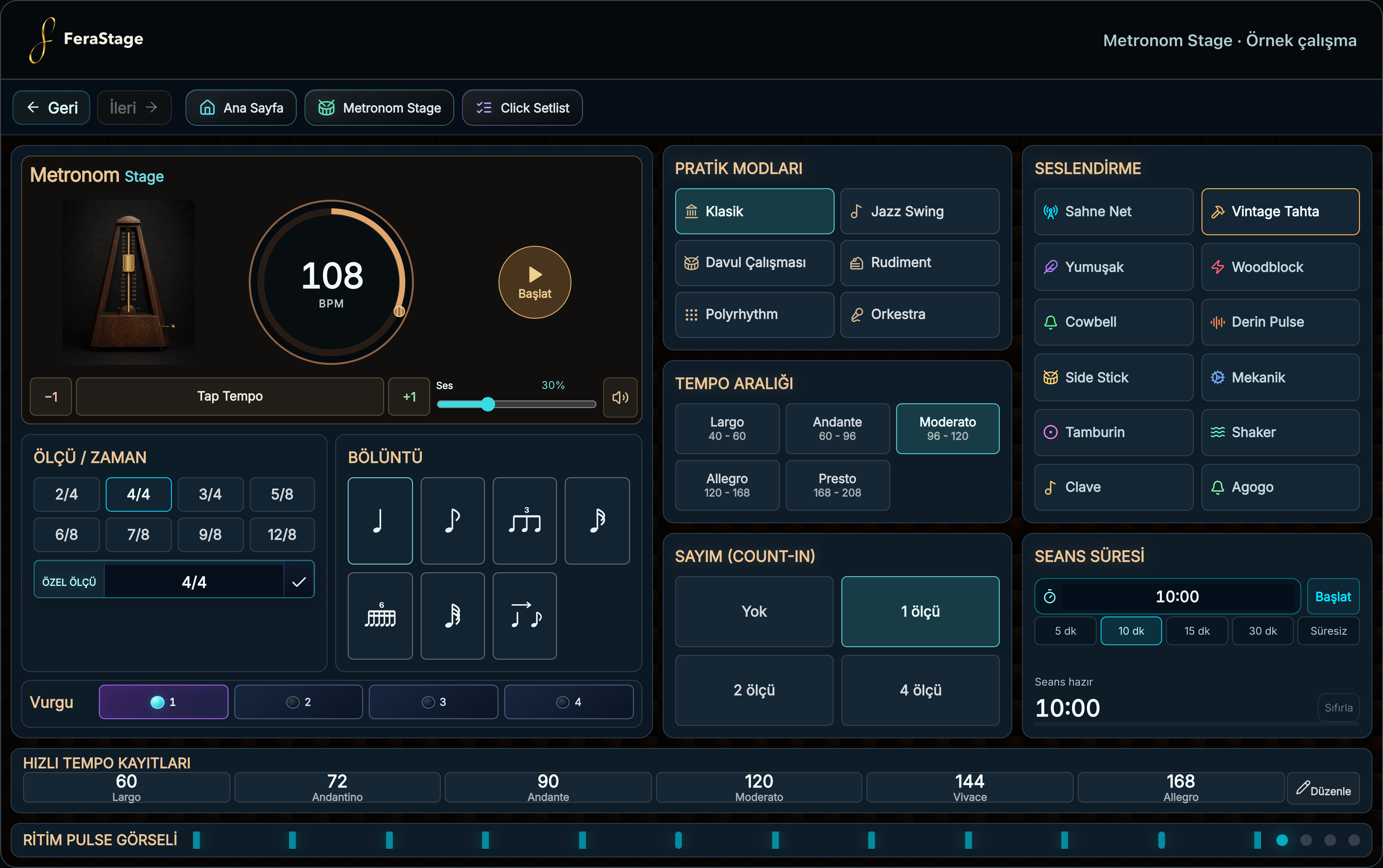
Prepare a click for each song
Keep song order and per-song click settings in one set. Select the piece you will play and move through your performance sequence yourself.
Explore Click SetlistTry an idea on the keyboard
Explore a melody or the notes of a chord using the on-screen keys. See the selected note, frequency and octave together.
Explore Piano Keyboard for Notes, Octaves and TranspositionRecord your rehearsal idea
Capture a short musical idea or rehearsal note with your microphone. Find it again in this device’s recording list using a name, date, tag and description.
Explore Rehearsal and Song-Idea RecorderCheck one note at a time
Check one string or note at a time. Compare the detected note, frequency and flat-or-sharp direction with your own tuning reference.
Explore Instrument Tuner with Note, Frequency and A4 ReferenceStart a working page
Use FeraStage Blank Page to bring notation, chords and practice notes into your own page layout. Begin rehearsal preparation with a short musical idea.
Explore Blank Manuscript and Chord Working PagesPrepare your lyrics and chords
Arrange lyrics and chords in one workflow. Build a vocal setlist, then choose readable text and scrolling settings in the stage view.
Explore Vocal Stage for Lyrics, Chords and Vocal SetlistsPractise with separate channels
Work with five practice channels from an audio file you have permission to use. After processing completes, use solo, mute and level controls to prepare a rehearsal mix.
Explore Stem Studio for Five-Channel Music PracticeFind your bandmates
Discover musicians you could create with through FeraStage Stage Network. Describe your musical experience and explore connections for projects and performances.
Explore Find Musicians and Bandmates with Stage Network
Rehearsal and stage use
Prepare a song, arrange a setlist and check your intended reading device before a performance. A Master session can coordinate a setlist’s song and page flow with participants joining by a six-digit code; behaviour depends on the participant’s role. This is separate from account data storage and offline access.
The product tour explains the current Master workflow and its limits in Turkish. Rehearsal planning does not imply low-latency online audio jamming or automatic transfer of every local recording.
View the current Master workflowFind your next practice idea
Use the English guides for setlist planning, drum notation and rehearsal preparation. Navigation and some application screens are currently in Turkish. Check each tool’s device, permission and storage requirements on its product page.
Browse the English guides