
Try an idea on the keyboard
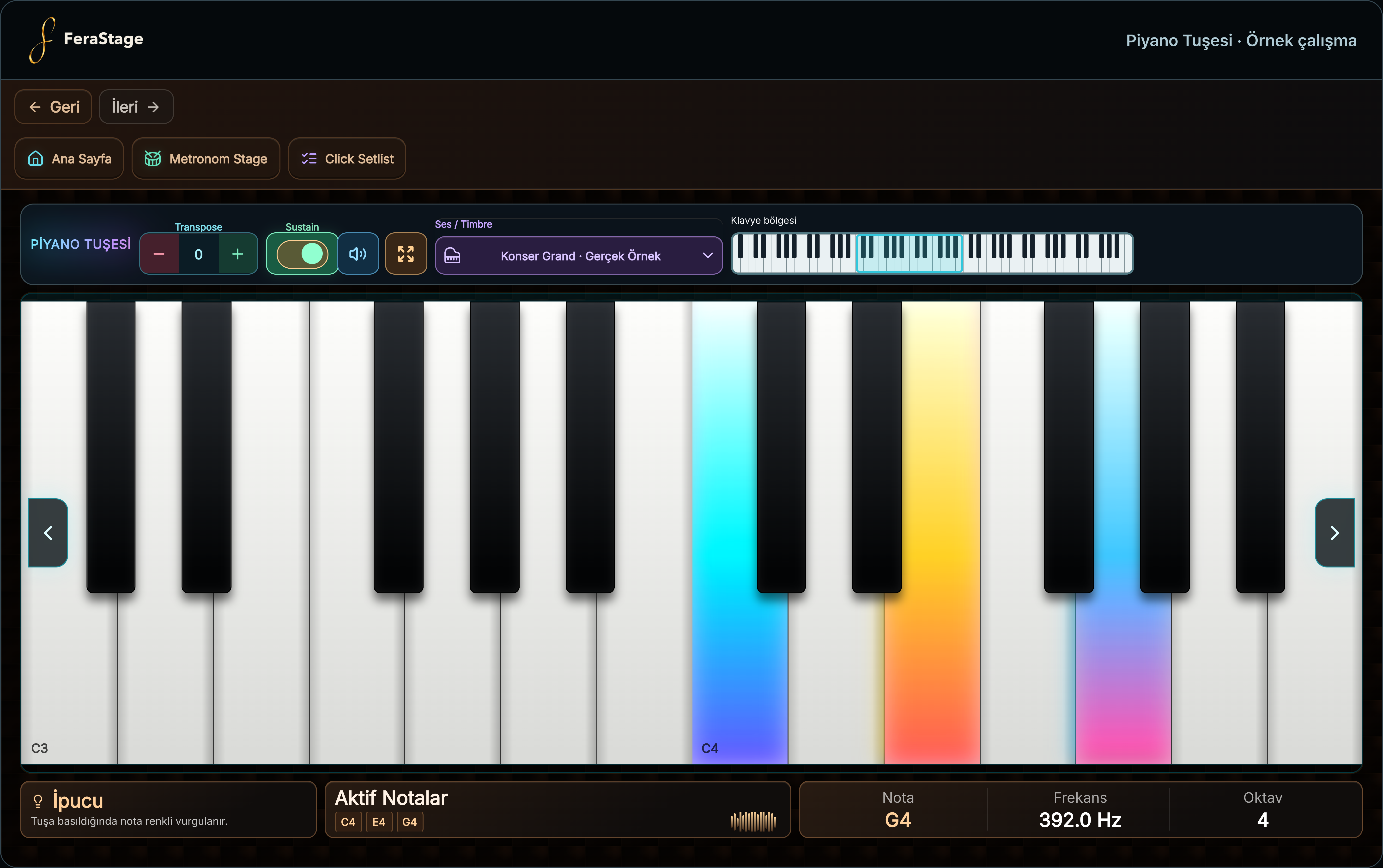
Explore a melody or the notes of a chord using the on-screen keys. See the selected note, frequency and octave together.
Choose your starting point
This overview explains the preparation task and links to the relevant workspace. Begin with a small example on your own device, then check the saved work before moving a larger repertoire.
Open Piano Keyboard →Prepare your first session
Explore a melody or the notes of a chord using the on-screen keys. See the selected note, frequency and octave together.
- Choose a lower or higher keyboard range.
- Play the keys and follow note, frequency and octave indicators.
- Adjust timbre, sustain, transposition and volume for your practice.
Try a musical example
Try C4, E4 and G4 in sequence. Set Transpose to +2 and play the same keys; return the setting to 0 after comparing the sound.
Before you begin
The keyboard does not require microphone permission. Browser audio starts after your first interaction.
Device silent mode, output level and browser audio support affect what you hear. This is a musical exploration tool, not an assessment of piano performance.
Questions before you start
What does the transpose control change?
It shifts the sound of the same key pattern by the selected semitone amount. Check the setting again before your next exercise.