
FeraStage Preparation
One idea,
ten different preparation.
Akoru kur. Melodiyi yaz.
Sahnedeki yolunu belirle.
Transposite from the title of the chord and note, adding visuals from the repeatedly signs: 10 authentic ethers are examined on real preparatory screens. Use the editable file as start to its own work.
Different forms of work like pop, funk, vals and 7/8 show what the same tools do. The images are directly received from FeraStage.
Explore examplesOpen the Nota pages directly.
10 original work · 10 page PDF. See also 20 page visual guide for open vehicle descriptions.
App files to edit in FeraStage
These files are not PDF. Instead of opening the contents in Finder, load FeraStage with the option of Transfer in the Interior. Use the above PDF to read or print on the computer.
10 editable work Download · .ferastage-setlist ↓- Sign in to open Songs.
- Import/Export from the operations of selected songs → Select Transfer in.
- .ferastage-setlist upload file. Check the preview in the bulk file shows 10 songs, 10 pages and 160 sizes.
- Import and edit your own work with FeraStage Transfer.
- NEON WALK · editable FeraStage file ↓
- SHADOW GROOVE · editable FeraStage file ↓
- GLASS WALTZ · editable FeraStage file ↓
- COASTLINE · editable FeraStage file ↓
- AMBER SOUL · editable FeraStage file ↓
- ODD HORIZON · editable FeraStage file ↓
- SEVEN STEPS · editable FeraStage file ↓
- EVENING ROAD · editable FeraStage file ↓
- PAPER SKY · editable FeraStage file ↓
- FINAL CUE · editable FeraStage file ↓
For example, learn from it.
Open the title of a study; see the note page, tools used and download links together.
NEON WALKWrite chords
Contemporary pop/funk
Write chords
Maj7, 9, 13 and slash print options are examined in the same chore plan.
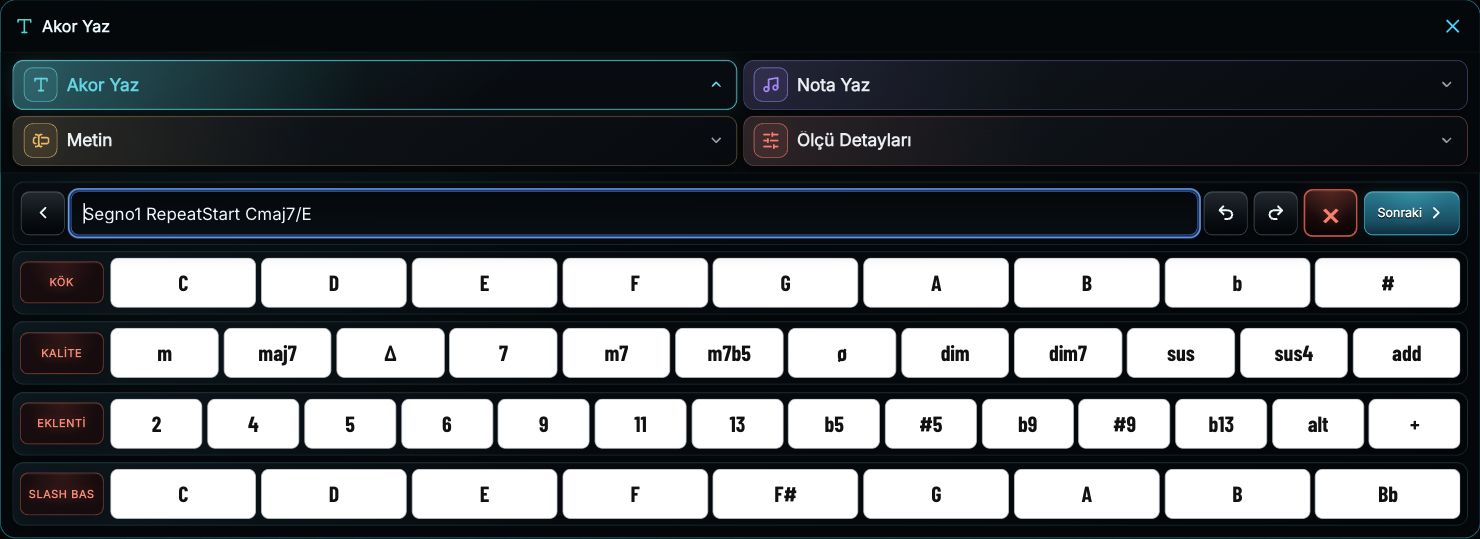
A choke like Cmaj7/E with Root, Quality, Add-on and Slash Bas areas. See the same size in 11 and 12. sizes.
There are 5–6. In sizes E4–G4–A4–C5 and B4–A4–G4–E4 melodies. Each size is completed with four quarrel notes.
NEON WALK Download note page · JPG ↓
Show the Write chords panel
The order of my bush with Segno, coda and cabinets
1–4 → 5–8 → 5–7 and 9 → 10–14. D.S. and return to the diagnosis in 5; re-playing the repetitions by “senza rep.” Passing to coda from To Coda in 7, finished in Fine in 16. To Coda is thrown in the first pass.
D.S., To Coda and Fine are entered into the Write Chords area in this example. Segno, coda, again and single size cabinets are added from the Measurement Details → Sign tab.
SHADOW GROOVESection and details
Dance popu and petite funk
Section and details
Mark out the verse and chorus with section and detail markings. Follow the alternate ending on the repeat.
With Section, select the A and B signs; MELODY and CHORUS redirects with Detail. Verse and Chorus descriptions are written by the text tool.
5. It starts again. 8. Degree 1 cabinet in the first round, 9th degree in second round; 10. Continue to the extent.
SHADOW GROOVE Download note page · JPG ↓
Show the Section and details panel


GLASS WALTZWrite notation
Akustik vals
Write notation
Try two short melodic phrases in 3/4. Explore the pen, eraser and clef options.
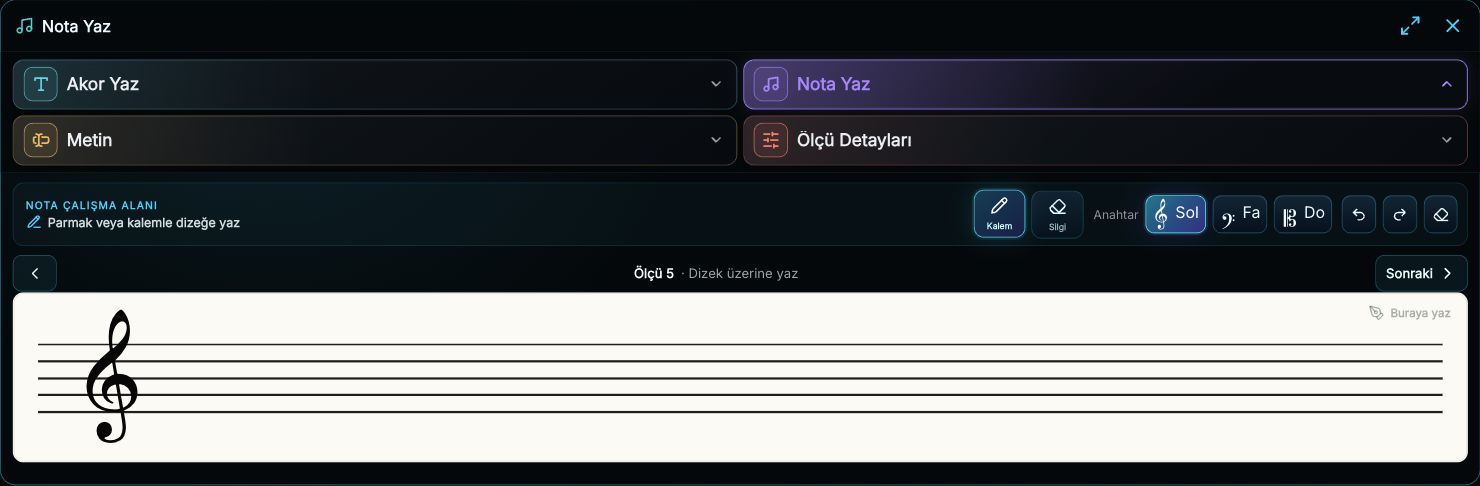
Select Left, Fa or Do key on the Summer panel; summer with pen, fix it with eraser. The melody of this work is drawn in the left switch.
5. In order to significantly F4–A4–D5; 6. In 6th extent, G4–Bb4–D5. Three quadrant notes complete every 3/4 criteria. Notes written with pen do not play automatic audio.
GLASS WALTZ Download note page · JPG ↓
Show the Write notation panel
COASTLINETranspoze
Outdoor peonile pop/rock
Transpoze
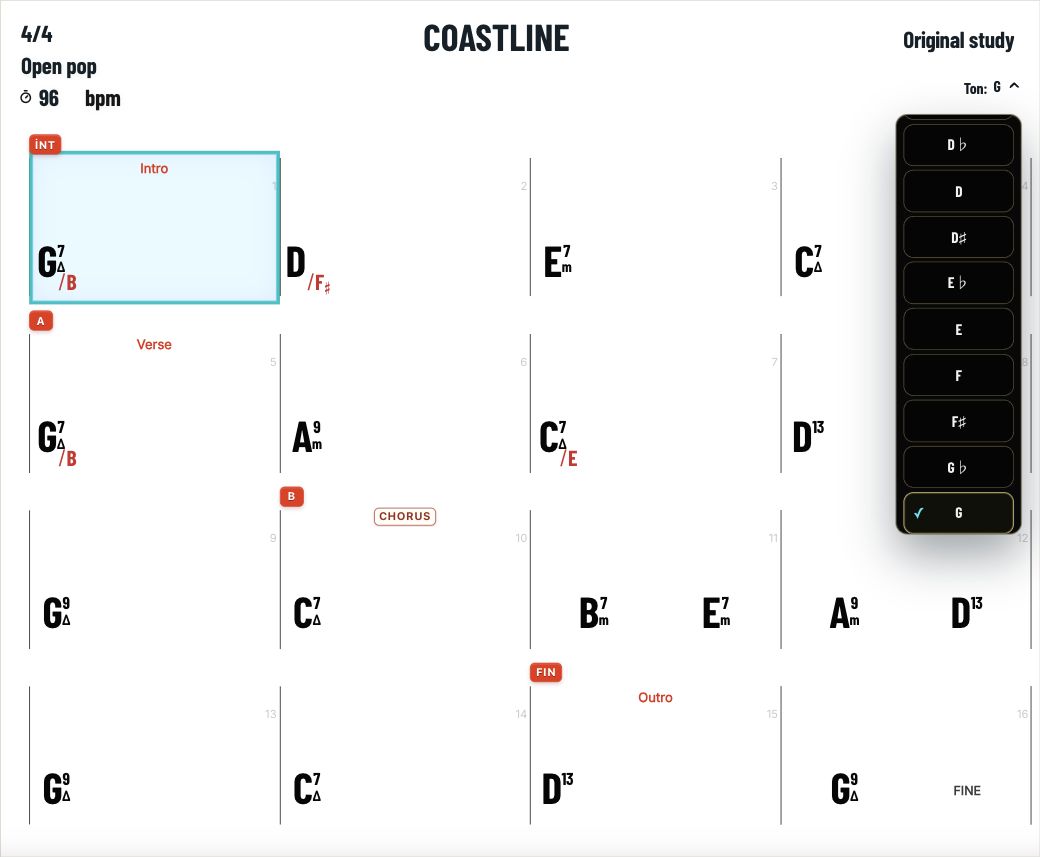
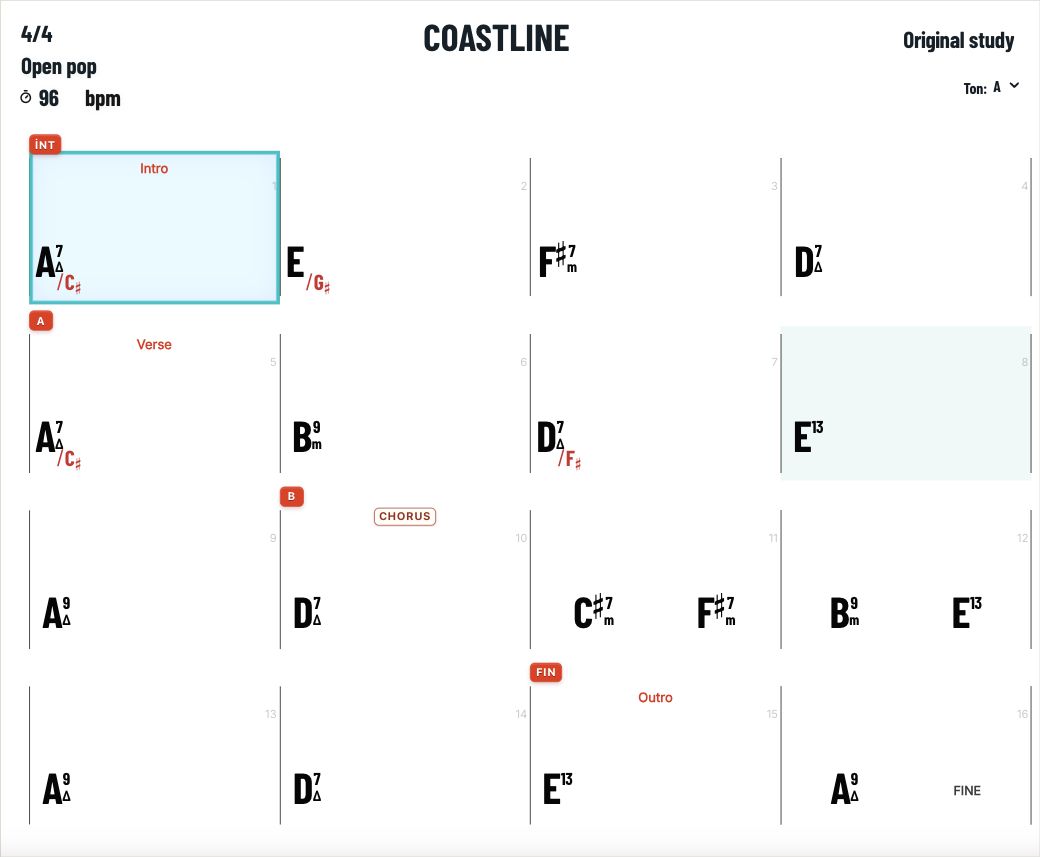
Transpose from G major to A major. Notice how the chord root and slash bass move together from Gmaj7/B to Amaj7/C#.
Choose G major and then A major in the Key menu. Chord roots and slash basses transpose together. Gmaj7/B → Amaj7/C♯ and D/F♯ → E/G♯.
This example shows the transposition through the ascorbics. Pen drawings are not automatically transpositive; also edit the notes of the drawn melodi.
COASTLINE Download note page · JPG ↓
Show the Ton menu and transpose then
AMBER SOULText
Soul and R&B bagged
Text
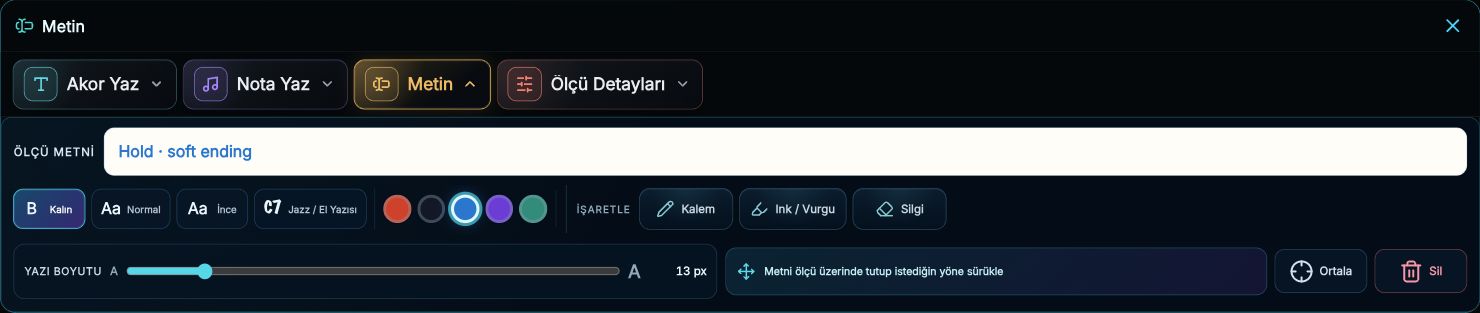
Place clear performance notes such as hold, soft and repeat above the measure.
Add a bush note like “Hold · soft ending” from the text panel. Set the size, color, format and location within the size of the article.
13. Review the blue and thick end note of the extent. The text is arranged separately from the content of the ascorbic and drawn note.
AMBER SOUL Download note page · JPG ↓
Show the Text panel
ODD HORIZONRitim and measure
Asimetrik pop/rock
Ritim and measure
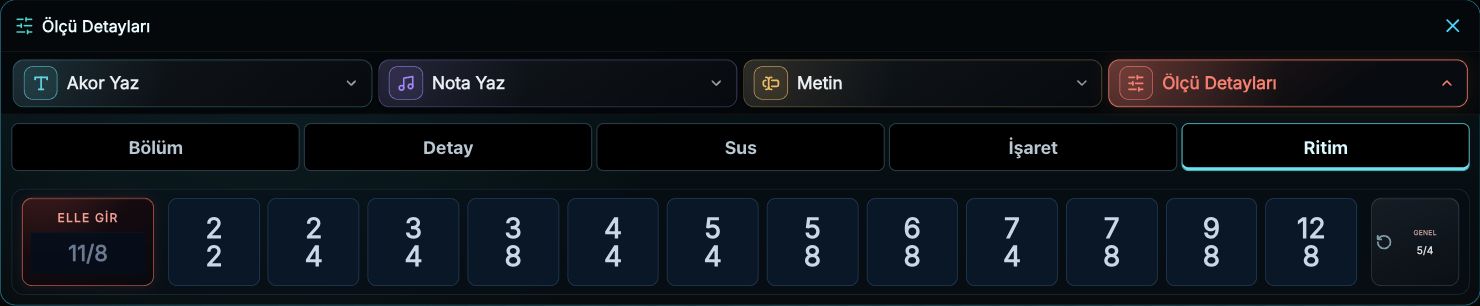
Place five quarter notes in a 5/4 measure. Explore the Rhythm tab in Measure Details.
Measurement Details → Determine the time signature of selected size on the Ritim tab. GENERAL uses 5/4 criteria in the top information of the song.
This is 5–6. There are five quartets in each of the dimensions. Repeat plan: 1–4 → 5–8 twice → 9–16.
ODD HORIZON Download note page · JPG ↓
Show the Ritim and measure panel
SEVEN STEPSSigns and Cabinet
Turkish Fusion
Signs and Cabinet
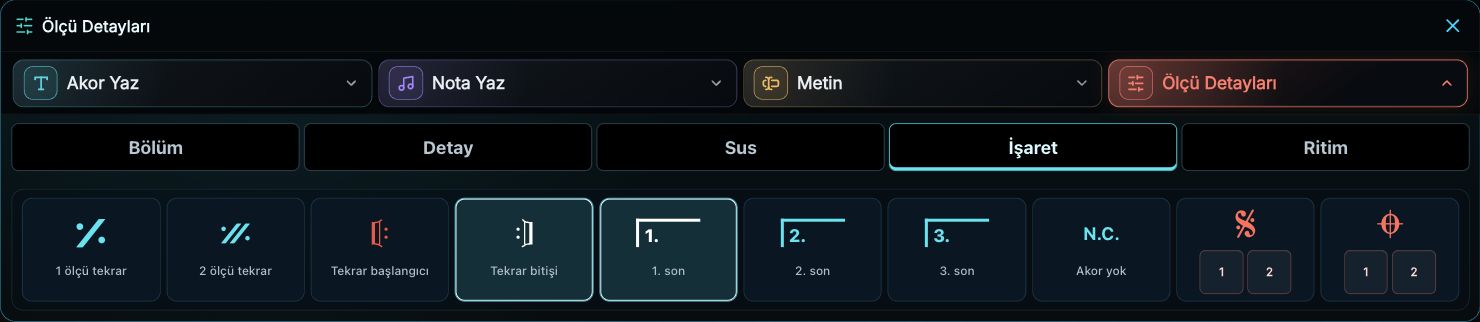
Follow the repeat and one-measure first and second endings in this 7/8 study grouped 2+2+3.
Measurement Details → Select the start/bit and the end of the 1st/2. in the Sign tab. The cabinet covers the selected single size in this version.
The group of 2+2+3 in the meat of 7/8 is shown as quadrant + quadrant + dot quadrant. 1–4 → 5–8 → 5–7 and 9 → 10–16.
SEVEN STEPS Download note page · JPG ↓
Show the Signs and Cabinet panel
EVENING ROADBar tools
Turkish acoustic pop ether
Bar tools
Select four measures and explore the copy, duplicate and move options.
Select 1–4 ranges in the size tools and take four criteria into the panel with Copy. Paste offers application options by adding or typing on the paste.
Review the barkalt, stone, add/scal and re-purchase tools on the open panel. Keep a copy of the original file before trying its own editing.
EVENING ROAD Download note page · JPG ↓
Show the Bar tools panel

PAPER SKYAdd image
Soft jazz/pop
Add image
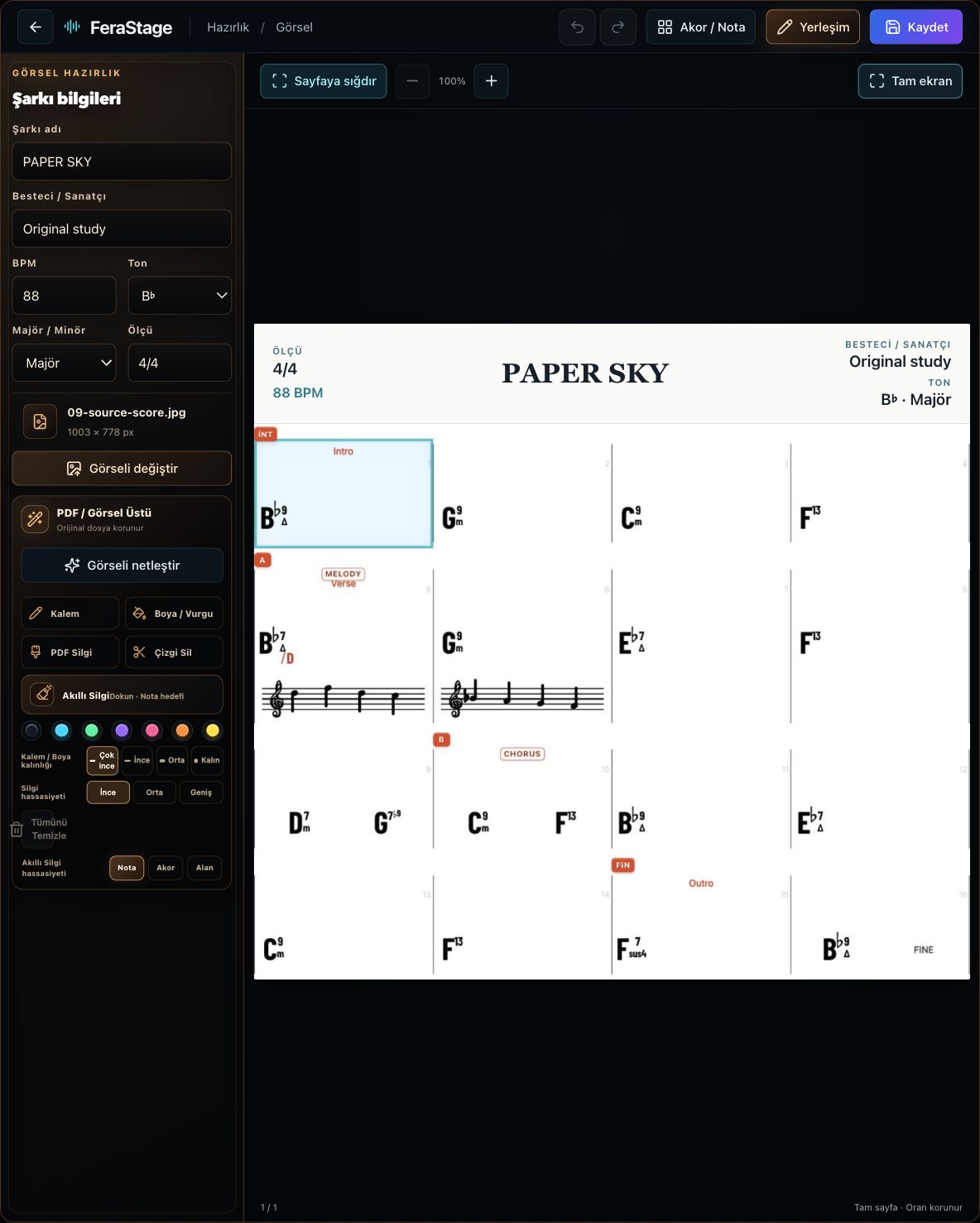
Open the sample JPG with Add Image, confirm the placement and return to the chart with Chords/Notes.
Open the separate Visual Preparation area with Visual Add. Select the following original JPG via Visual Select/Load, confirm the layout.
Set the scale and location of the visual; return to the chord page with Chord/Nota. This flow is not to be glued on the official chore measure.
PAPER SKY Download note page · JPG ↓
Show the Add image panel
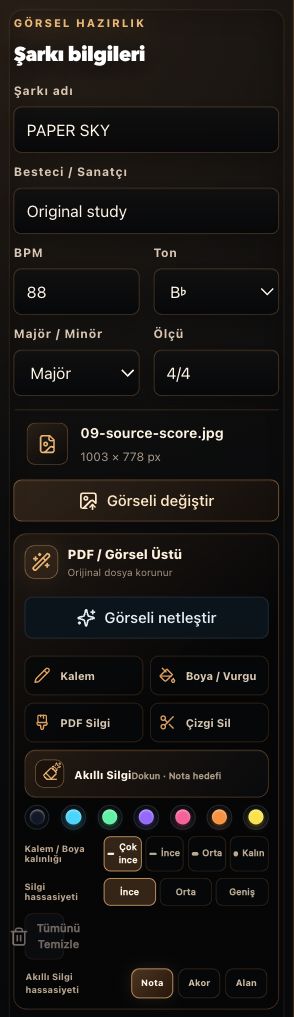
PAPER SKY: Download the original JPG you will use in Visual Add ↓
FINAL CUEMarking on visual
Stage finale and pop/rock
Marking on visual
Add an image of the original chart and try the pen, highlight and eraser tools.
Review Pen, Paint/Highlight and erase controls in the visual preparation area. Highlight tool is selected on the open panel.
You can mark entries or bushes notes on visual using the original JPG offered for this example. The marks on the visual are separate from editable chords.
FINAL CUE Download note page · JPG ↓
Show the Marking on visual panel
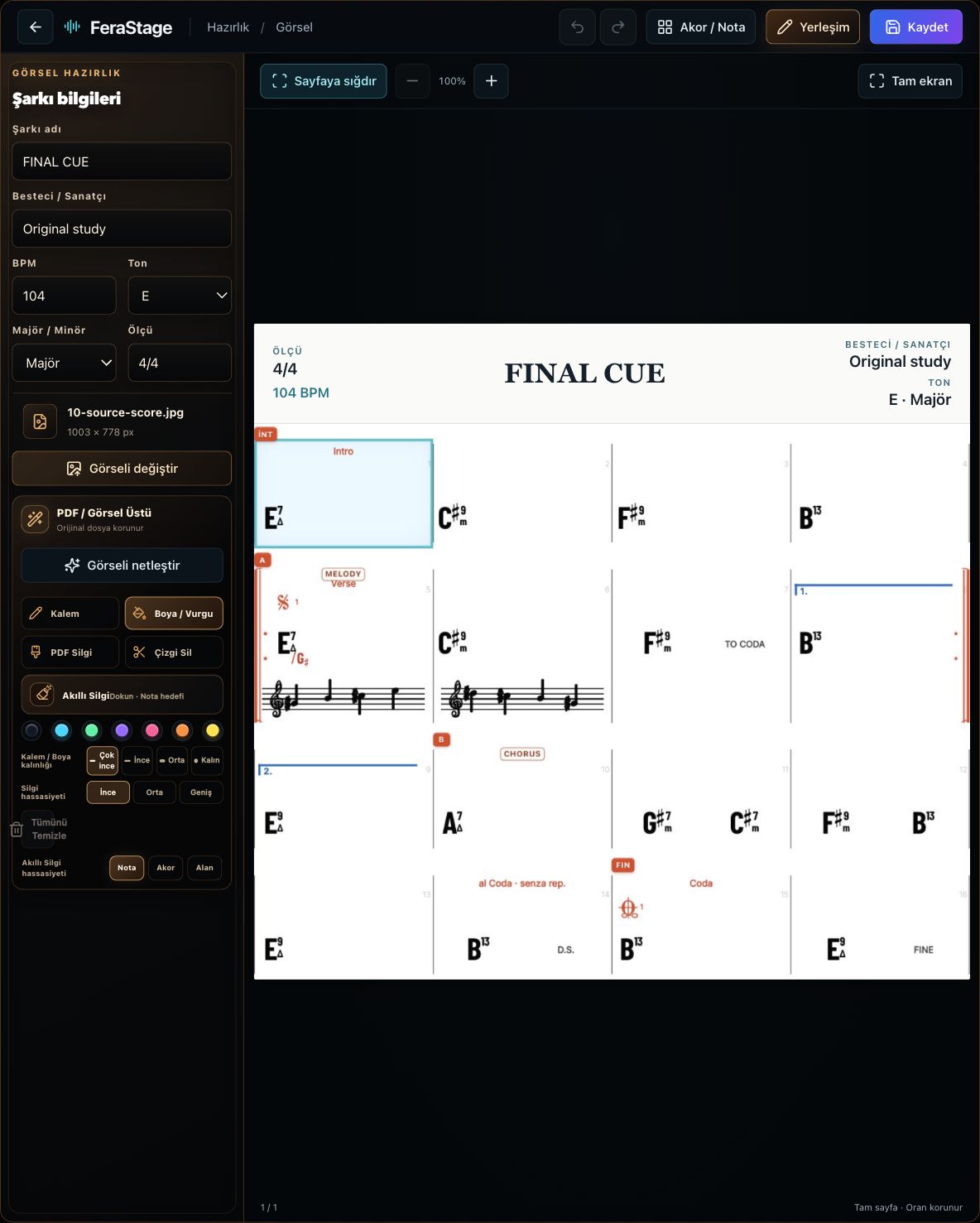
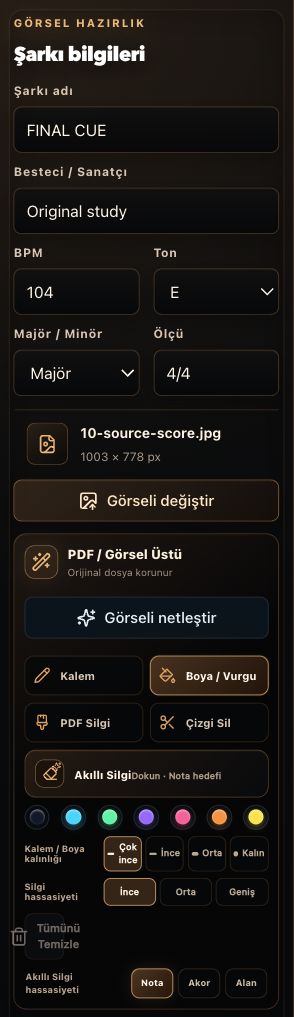
FINAL CUE: Download the original JPG you will use in Visual Add ↓
The order of my bush with Segno, coda and cabinets
1–4 → 5–8 → 5–7 and 9 → 10–14. D.S. and return to the diagnosis in 5; re-playing the repetitions by “senza rep.” Passing to coda from To Coda in 7, finished in Fine in 16. To Coda is thrown in the first pass.
D.S., To Coda and Fine are entered into the Write Chords area in this example. Segno, coda, again and single size cabinets are added from the Measurement Details → Sign tab.